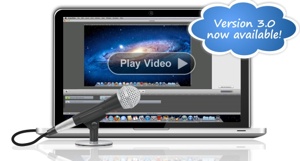
Sometimes it comes in handy to make a screen recording of something you’re doing on your Mac so you can show it to someone else. Enter ScreenFlow from Telestream (http://www.telestream.net/screen-flow/) a “professional screencasting studio” for Mac OS X 10.5 and higher.
Who needs the app? Let’s count the ways — or rather the people.
One: those who need to produce demonstrations of software applications. Developers can record a demonstration of their software with audio and even separate video. They can highlight areas of interest, add text, then edit the whole thing and save it as a video. iPhone developers can also take advantage of the utility. With ScreenFlow, they have a tool to record their applications (using any iPhone simulator), and can choose a finger as a mouse pointer as they navigate around their iPhone app.
Two: teachers who want to record their lectures, tutorials, or instructions for students, or to create rich-media presentations. Educators can record their message once, and students can access the video at any time.
Three: those who need to record training sessions. For example, corporate trainers can combine a screen recorded video with Keynote or PowerPoint presentations and video conferencing.
With ScreenFlow you can record from your computer desktop, a video camera, microphone and computer audio simultaneously. Toss in the editing functions, and the finished result is a QuickTime or Windows Media movie, ready for publishing to your web site or blog.
With ScreenFlow you don’t have to select an area of the screen for capture, as it sports advanced algorithms that only encode areas of change on your screen. During your screen capture ScreenFlow tracks where your mouse cursor is, when you click and when you press a key. This allows you to add mouse click effects (both visual and audible) and an overlay showing your key strokes. You can even you zoom the mouse pointer up and down.
“Callouts” let you highlight and focus in on the mouse or frontmost window. For example, want to circle the area around the mouse? You can do it.
ScreenFlow captures are instant. When you stop capturing, you can start editing. You only have to wait when you’re exporting the final movie, as this requires processing.
Once your screen capture is complete, you can edit it using a timeline interface that lets you add zoom and pan effects, trim clips, add drop shadow and reflection, adjust audio levels and more. ScreenFlow introduces actions to the editing interface for modifying the parameters of your screencast over time. For example, adding a video action lets you put zoom and pan effects on your clips, while the audio action lets you adjust volume at different points in your screencast. You can also combine existing media into your screencast.
When resizing high resolution screen content into a QuickTime movie, ScreenFlow uses custom GPU algorithms to give your finished movie the best possible quality. The software takes advantage of such Mac OS X technologies as Core Animation, QuickLook, Spotlight, QTKit, Quartz Composer, OpenGL, Core Image, Automator, Core Data and many others.
Recently, ScreenFlow was updated to version 3.0, which adds Mac OS X 107 (“Lion”) support, plus creativity tools, including freehand callouts and video annotations. These allow users to emphasize and embellish portions of their screencasts. What’s more, an extensive new timeline features combine with audio and export improvements to make it even easier to create professional-looking screen recordings for the Web.
For new users ScreenFlow costs US$99. An upgrade from version 2.x to 3.x is $49. For more information, a free trial or online purchase, go to http://www.telestream.net/screenflow . ScreenFlow is also available on the Mac App Store.

![[MD1] 3D Game Machine, v2.0](https://www.mactech.com/wp-content/themes/Extra/images/post-format-thumb-text.svg)