By Steve Baczewski
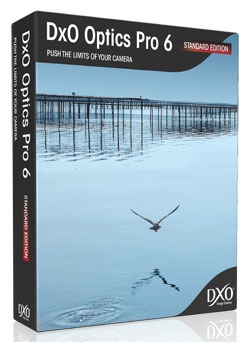
DxO Optics Pro Elite 6.6 (http://www.dxo.com) is a rich and deep RAW and JPEG image processor/editor. It begins with a unique approach that gives you a big “leg up” on improving the quality of your images.
DxO Labs technicians test, measure, and analyze manufacturers’ DSLR camera sensors and lens combinations and group them in modules — there are presently more than 4,512 modules. They find the inherent defects (such as barrel and pin cushioning, vignetting, chromatic aberration, fringing, noise, and much more) and then create precision algorithms that specifically correct for them.
When you select an image to work on, DxO Optics Pro Elite 6.6 (which costs US$299) recognizes the equipment used in shooting from the EXIF data. It automatically applies the corrections and optimizes your image. I know of no other RAW processor that gives you this much of a timesaving head start; for example, I found it especially effective in correcting lens distortion in architectural shots.
Aside from these core corrections, DxO Optics Pro Elite lets you select from a list of additional presets to apply to one image or a batch of images for processing. If by chance your equipment isn’t supported (the website lists supported equipment) or you just want to control the process, the software includes comprehensive manual adjustments.
With each new version, DxO Optics Pro improves its integration with Photoshop and Lightroom, and you can send files on a roundtrip to either application for editing. The current version doesn’t have a print feature but it lets you send processed images to Lightroom or Photoshop for printing.
DxO’s customizable interface allows you to rearrange the palettes and create your own workspace. From the navigation window on the left side of the interface, you access your image folders from your hard drive. DxO Optics Pro Elite 6.6 separates the process into a four-step workflow—select, customize, process, and view — with onscreen help to guide you through each step.
First, you select images that are grouped into a project and appear in filmstrip fashion at the bottom of the interface. Corrections will be applied to these images.
Next, you proceed to the customize step where you can preview the corrections from the presets you’ve chosen. Selecting a single image from the filmstrip lets you view it in the large preview window above the filmstrip.
By pressing the D key, you can visually compare this corrected version with the original. You can continue to manually adjust the image with a broad range of editing tools from basic white balance to DxO’s advanced precision multipoint color-correction tool. (This step is analogous to Lightroom’s Develop module.) As you make adjustments, you can create virtual copies.
DxO’s luminance and chrominance noise reduction are particularly good at maintaining detail without softening the image. I shot freely at ISOs higher than 6,400. The single-shot HDR feature does wonders for contrasty images, opening blocked shadows without creating noise, and recovering highlights while maintaining a realistic look. I found it very helpful with interior real estate shots; effectively recovering the bright, exterior landscape seen through windows that otherwise would have been blown out.
When you’re through making edits to your image, the next step is processing, where the corrections are applied. Then you format your files for output as TIFF, DNG, or JPEG, and assign a destination folder. Processing times can be slow—it’s a function of how many files and corrections are being applied. When processing is complete, you can view your files.
DxO Optics Pro Elite 6.6 does an exceptional job of maximizing image quality, from adjusting inherent defects in your equipment to accurately processing colors with rich saturation, smooth transitions, and lots of detail. It’s well suited for RAW processing and worth exploring. Download the 30-day free demo and see for yourself. There’s also a Standard edition available for $169. The Elite addition covers “high-end” cameras, so check the site to see which version you need based on the camera you use.
Rating: 9 out of 10
(This review is brought to you courtesy of “Layers Magazine”: http://layersmagazine.com/ .)