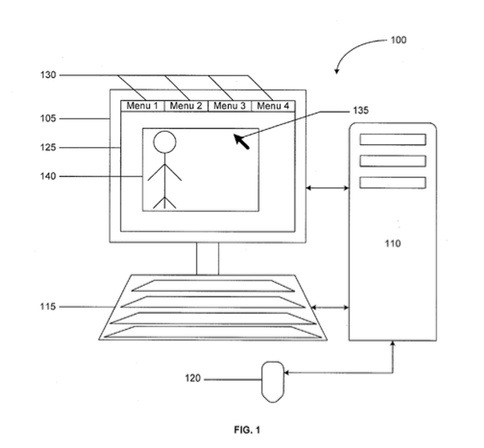
An Apple patent (number 20120233569) for managing user interface control panels on the Mac has appeared at the U.S. Patent & Trademark Office.
Per the patent, a computer-implemented method includes displaying a user interface on a display device, the user interface displaying a content item, in response to receiving input, displaying a user interface control panel including a user interface control, the user interface control configured to enable modifying one or more attributes of the content item, and in response to detecting a first selection of the user interface control, displaying a portion of the user interface control panel and hiding a portion of the user interface control panel, the displayed portion of the user interface control panel including the user interface control.
Here’s Apple’s background and summary of the invention: “Software applications can edit content items such as images, video, audio, documents, and the like. Content items, such as images, can be captured using devices such as digital cameras, stored as images files, e.g., in JPG format, and transferred to storage devices.
“A software application can retrieve an image file stored in a storage device and display the image file on a display device of a computer system. The images can have one or more attributes, e.g., sharpness, brightness, color, and the like, and each attribute can be assigned a value. Users can edit the appearance of an image by altering the attribute values of the corresponding image using user interface controls offered by a software application.
“This specification describes technologies relating to managing user interface control panels. In one example, an image is displayed in a user interface of a software application. In response to user input, a user interface control panel configured to enable modifying the attributes of the image is displayed in the user interface, e.g., over the image. The control panel includes features, e.g., one or more sliders that can be moved using an input device such as a mouse, to alter the attributes of the image in the user interface.
“When a user selects a slider in the control panel, all portions of the control panel, except the slider are hidden from display. When the user releases the slider, the hidden portions of the control panel are re-displayed. Further, when the user positions the cursor at a location in the user interface, away from the slider, and selects the location, the slider automatically moves to the selected location. Furthermore, in response to another input from the user, the control panel is hidden from display.
“In general, one aspect of the subject matter described in this specification can be implemented in methods that include displaying a user interface on a display device, the user interface displaying a content item, in response to receiving input, displaying a user interface control panel including a user interface control, the user interface control configured to enable modifying one or more attributes of the content item, and in response to detecting a first selection of the user interface control, displaying a portion of the user interface control panel and hiding a portion of the user interface control panel, the displayed portion of the user interface control panel including the user interface control. Other implementations of this aspect include corresponding systems, apparatus, and computer program products.
“This, and other aspects, can include one or more of the following features. The method can further include re-displaying the hidden portion of the user interface control panel on the display device in response to detecting an end of the first selection. The content item can be an image and the attributes of the image that the user interface control is configured to enable modifying can include a sharpness, a saturation, a hue, a brightness, and a color.
“The method can further include hiding all of the user interface control panel in response to receiving new input. The first selection can be active between detecting the first selection and detecting an end of the first selection. The method can further include detecting a selection of a location within the user interface when the first selection is active, and automatically moving the displayed portion of the user interface control panel to the selected location.
“The input can include selection of a key on a keyboard. The first selection can include selection of the user interface control using a cursor controlled by a pointing device. Detecting the first selection can include detecting a combination of a keystroke and an operation on the cursor. The method can further include displaying only the content item and the user interface control on the display device, and in response to detecting an end of the first selection, displaying the user interface and the user interface control panel.
“The method can further include detecting a location of a cursor on the display device, and in response to receiving the input, displaying the user interface control panel at the location of the cursor. The method can further include in response to detecting an end of the first selection, automatically hiding the user interface control panel.
“Particular implementations of the subject matter described in this specification can be implemented to realize one or more of the following potential advantages. Hiding portions of the user interface control panel that are not being used by a user to alter image attributes reduces screen clutter and allows a user to view more portions of the image that the user is editing.
“Moving the user interface control based on cursor location can allow a user to move the control away from regions of interest in the image. Enabling a user to control the user interface control panel in response to selections of locations on the user interface decreases a number of inputs that the user has to provide to display and hide the control panel.”
The inventors are Nikhil Bhatt and Clem Holloman.